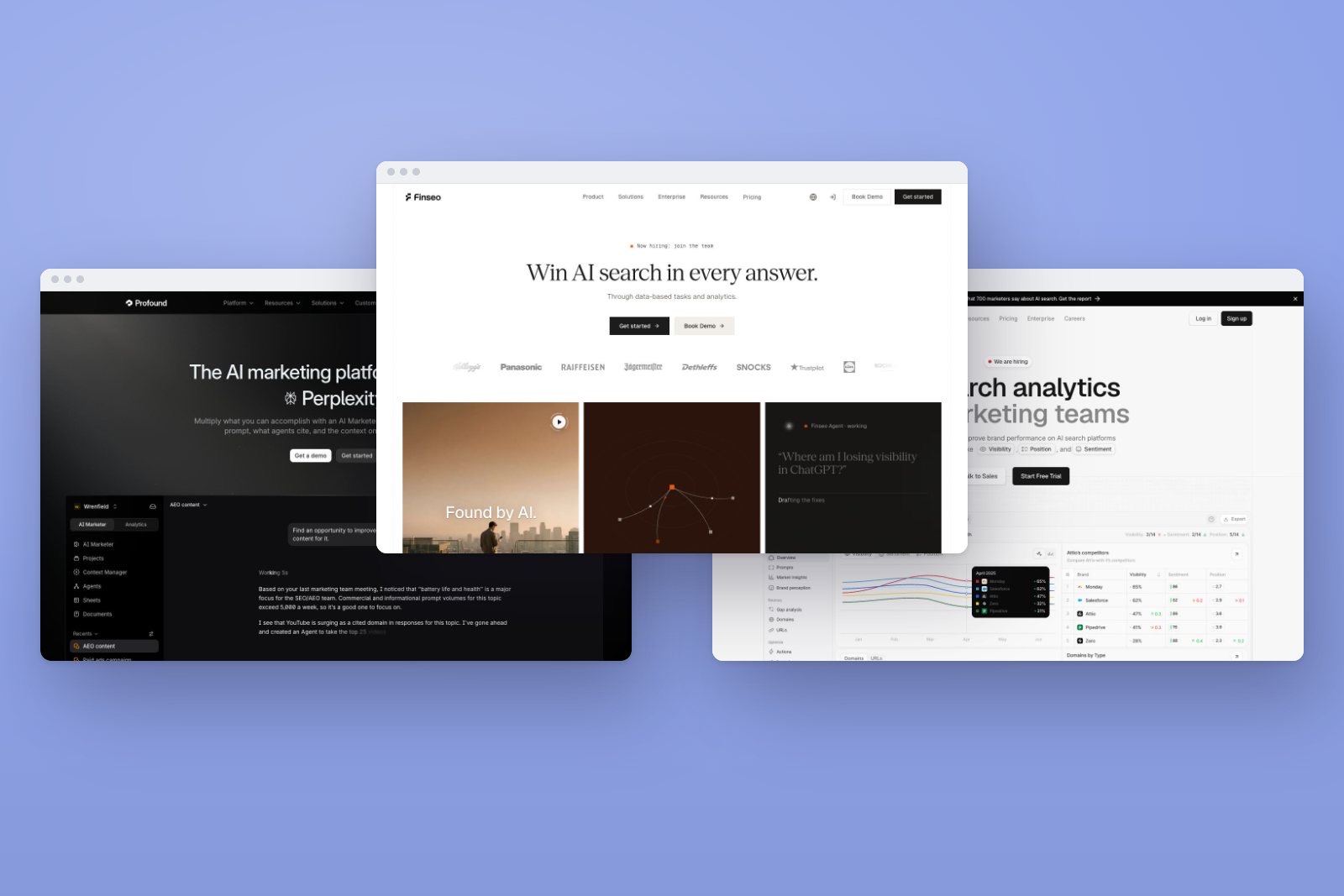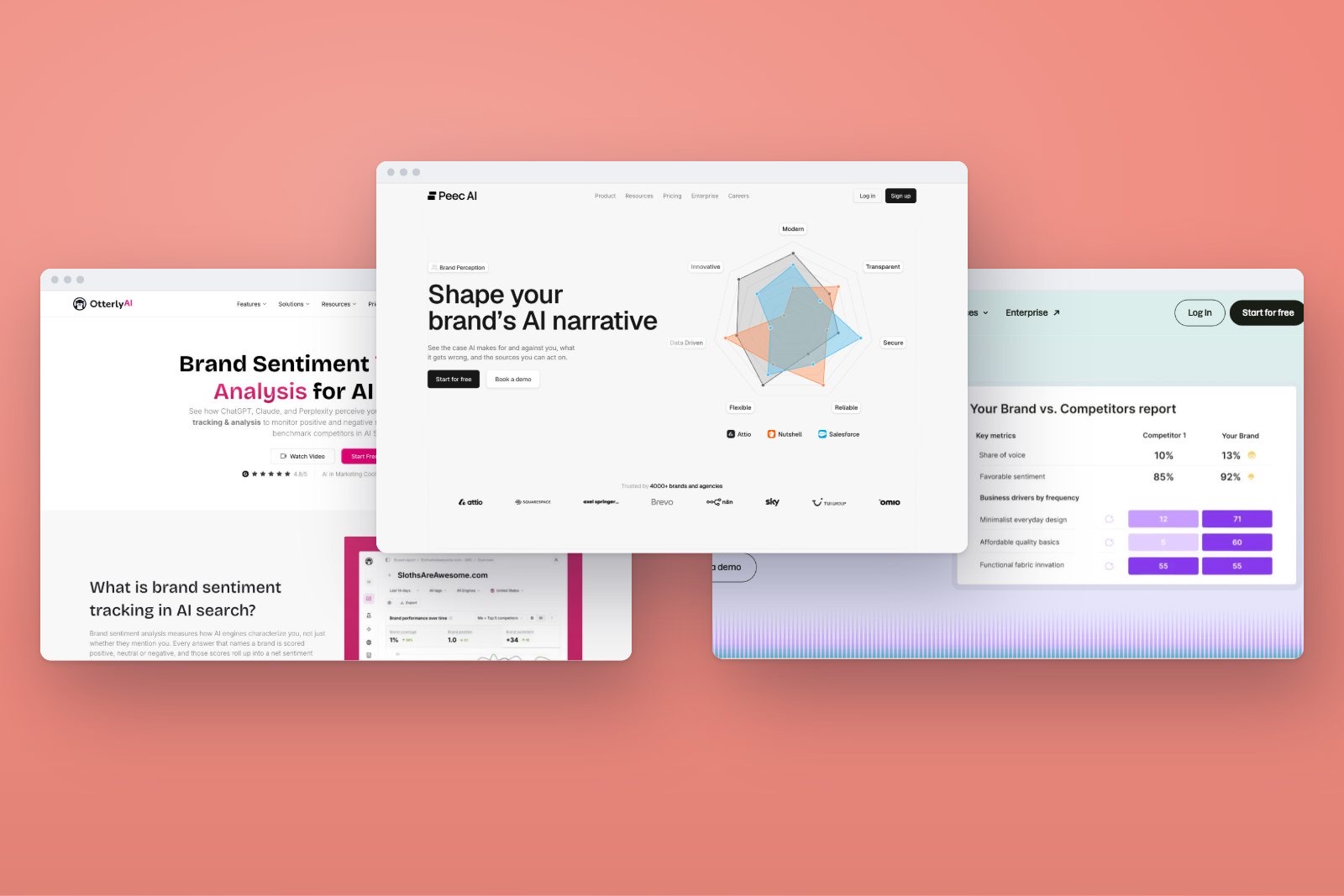
An engine-by-engine guide to AI search in 2026 and a coverage matrix showing which AI visibility tools track which engine, on which plan.
The short answer
- Finseo, AthenaHQ and Promptwatch explicitly list all nine target engines, but availability and plan inclusion are different questions.
- Finseo’s self-serve brand plans track three selected models at the same time, while Enterprise lists all 23 models in the supplied product fact sheet.[13][18]
- Google Gemini, Google AI Mode and Google AI Overviews are separate measurement targets, not one interchangeable Google engine.[7][32]
- Claude results may come from web-enabled consumer search or an API model, so a tracker should disclose its collection method.[5]
- A brand mention and a citation from the brand’s own domain are separate visibility outcomes; Gemini mention/citation overlap has been reported as low as 30%.[3]
- Finseo, AthenaHQ and Promptwatch explicitly list all nine engines in this comparison, but inclusion, add-ons and collection methods differ.
- Finseo combines three-model self-serve tracking with citation analysis, AI traffic analytics, crawler analytics, attribution, tasks, content optimization, API access and MCP.[13]
- Gemini, AI Mode and AI Overviews require separate rows because they are different products and Search surfaces.[1]
- Grok and DeepSeek have documented search capabilities, but the supplied research does not establish official public crawler tokens for either engine.[47]
- Buyers should compare the billing unit—prompts, responses, credits, checks or locations—before comparing headline prices.
How we test
- Engine coverageWhich AI engines a tool tracks, and whether an engine costs extra.
- Measurement depthMentions, position, share of voice, citations, sentiment and prompt history.
- From data to actionRecommendations, content optimization, tasks and reporting.
- Traffic and attributionAI crawler analytics and GA4 or Search Console connections.
- AccessAPI, MCP server, integrations and multi-client workspaces.
- Price to startThe entry plan's price and exactly what it includes.
What does AI engine coverage mean?
AI engine coverage is the set of answer engines, search surfaces or model interfaces that a visibility platform can query and measure. A tool may list an engine as supported while placing it behind an Enterprise tier, selling it as an add-on, measuring an API model rather than a consumer interface, or reporting an index instead of running the buyer’s own prompts.[1][2]
That distinction matters because an AI answer can mention a brand without citing its website. Semrush reports that the overlap between mentioned brands and cited domains can be as low as 30% on Gemini.[3] A useful platform should therefore expose at least the prompt, answer text, brand mention, cited URL, position and engine—not collapse every result into one visibility score.
Google also needs careful separation. Google documents AI Mode and AI Overviews as Search features that can use query fan-out, while Gemini Apps provide a separate conversational experience with related sources.[4] Google reported more than 1 billion monthly users for AI Mode and more than 2.5 billion monthly active users for AI Overviews in June 2026; a later Gemini statement used the broader term “users” without specifying the same activity window.[5]
Which tools cover the most AI engines?
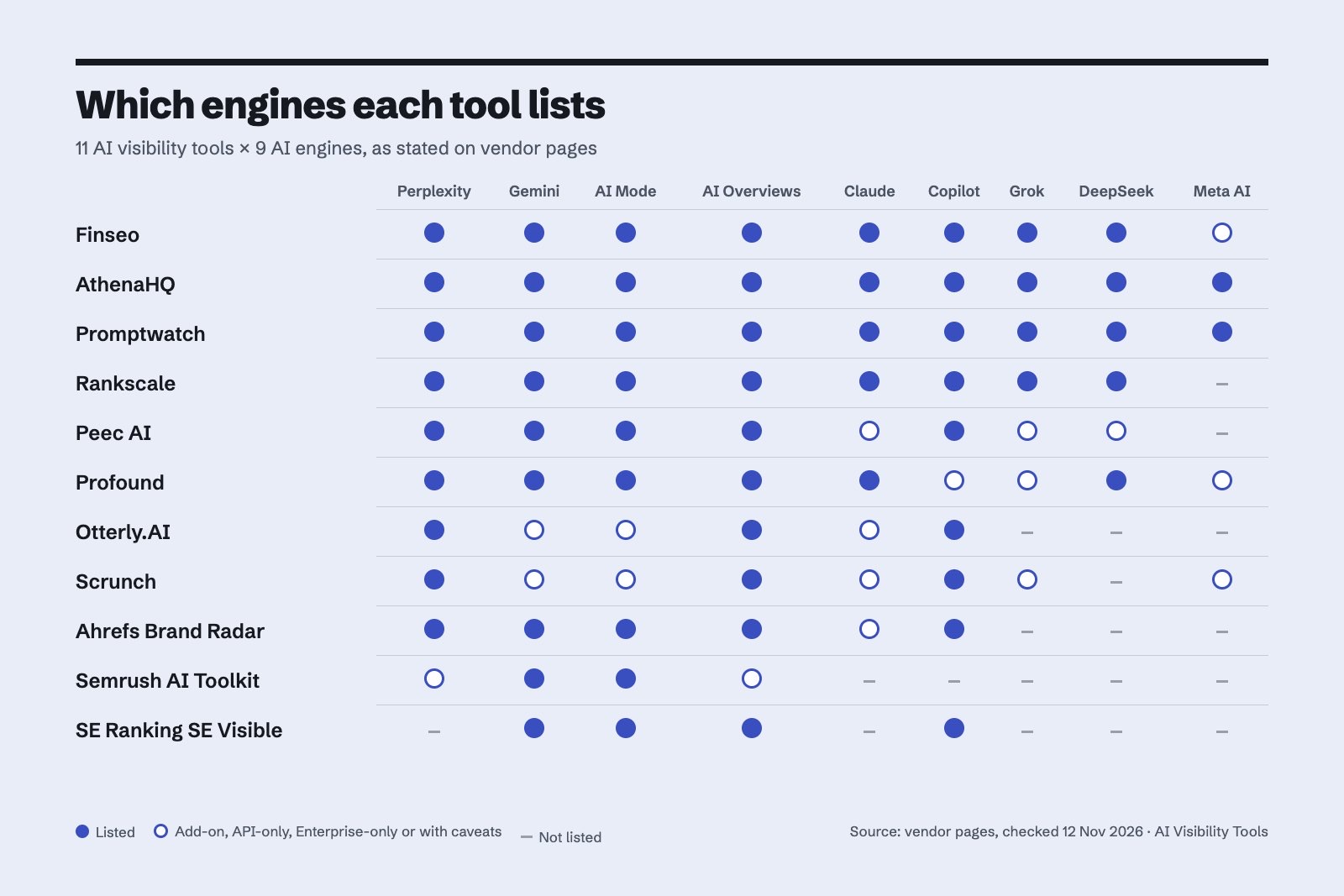
The matrix below uses the research report’s published coverage classifications. “✓” means the engine is explicitly listed somewhere in the product documentation; it does not guarantee inclusion in the cheapest plan or identical collection through the consumer interface.
Coverage legend: ✓ = listed coverage · – = not published in the supplied research · add-on = separately purchased expansion · Enterprise = restricted to Enterprise · API = API-model coverage · reports = reporting or index coverage rather than the same custom-prompt tracker.
| Tool | Perplexity | Gemini | AI Mode | AI Overviews | Claude | Copilot | Grok | DeepSeek | Meta AI |
|---|---|---|---|---|---|---|---|---|---|
| Finseo | ✓ | ✓ | ✓ | ✓ | ✓ | ✓ | ✓ | ✓ | add-on |
| AthenaHQ | ✓ | ✓ | ✓ | ✓ | ✓ | ✓ | ✓ | ✓ | ✓ |
| Promptwatch | ✓ | ✓ | ✓ | ✓ | ✓ | ✓ | ✓ | ✓ | ✓ |
| Rankscale | ✓ | ✓ | ✓ | ✓ | ✓ | ✓ | ✓ | ✓ | – |
| Peec AI | ✓ | ✓ | ✓ | ✓ | API | ✓ | API | API | – |
| Profound | ✓ | ✓ | ✓ | ✓ | ✓ | listed | listed | ✓ | model listed |
| Otterly.AI | ✓ | add-on | add-on | ✓ | add-on/API | ✓ | – | – | – |
| Scrunch | ✓ | Enterprise | Enterprise | ✓ | Enterprise | ✓ | Enterprise | – | Enterprise |
| Ahrefs Brand Radar | ✓ | ✓ | ✓ | ✓ | custom prompts | ✓ | – | – | – |
| Semrush AI Visibility Toolkit | reports | ✓ | ✓ | reports | – | – | – | – | – |
| SE Ranking SE Visible | – | ✓ | ✓ | ✓ | – | ✓ | – | – | – |
AthenaHQ’s paid Starter plan explicitly lists all nine requested engines.[6] Finseo lists the same nine targets, but its standard plans allow three selected models at the same time and additional models can be booked separately. Promptwatch’s coverage table and FAQ also name all nine.[7][8]
Coverage claims need qualification for several products. Profound’s Answer Engine Insights page lists Copilot and Grok, but its pricing page does not align completely with that feature list.[2] Peec labels Claude, Grok and DeepSeek as API options, while Otterly.AI documents Claude through an API-based method.[9] Scrunch places Gemini, AI Mode, Claude, Grok and Meta AI on Enterprise.[10]
Semrush separates Brand Performance, Custom Prompt Tracking and Position Tracking, so its rows should not be read as one daily custom-prompt tracker across every listed surface.[11][12] Ahrefs similarly separates its prebuilt Brand Radar index from Custom Prompts; Claude appears in the latter rather than the six-platform index.[1]
How we compared the tools
The comparison follows five buyer-focused criteria. The methodology should be read alongside the publication’s AI visibility tools methodology.
- Engine availability: Is the requested engine explicitly named in the vendor’s coverage documentation?
- Collection method: Does the product query a consumer front end, use an API model, collect an index, or report a different module?
- Plan access: Is the engine included, add-on, Enterprise-only or subject to a custom quote?
- Measurement depth: Does the tool expose answers, mentions, citations, sources, competitors and historical changes?
- Operational usefulness: Does it connect visibility findings to content, technical, analytics, attribution or workflow actions?
Prices and plan details were checked against the supplied research snapshot dated 11 November 2026. Vendor pages can change, so buyers should confirm the selected plan before purchasing.
1. Finseo — broad engine coverage with an action layer
Finseo tracks the nine engines in this guide and also lists additional core and regional engines, including ChatGPT, Gemini, Google AI Overviews, Google AI Mode, Claude, Perplexity, Microsoft Copilot, Grok, DeepSeek and Mistral.[13][8] Finseo is built by the team behind this site.
Its standard brand plans track three selected models at the same time. The supplied fact sheet lists 50 prompts and 4,500 AI answers per month on Starter, 150 prompts and 13,500 answers on Business, and 350 prompts and 31,500 answers on Growth.[13] Starter is €84 per month or €70 per month when billed annually; Business is €210 monthly or €175 annually; Growth is €479 monthly or €399 annually.[13]
Key features
- Daily or weekly prompt tracking with visibility rate, mention rate, citation rate, share of voice, position, mention depth and head-to-head win rate.[14]
- Competitor and source analysis showing cited pages, domains, prompt overlap and engines that cite each source.[3]
- Prompt research based on keyword data, People Also Ask questions, AI fan-outs, Search Console, product data and forum discussions.[15]
- Query fan-out analysis where the engine exposes its searches, with task creation and CSV, API or MCP export.[14]
- AI traffic analytics through GA4, Piwik PRO or Matomo, including landing pages, conversions and revenue.[2]
- Bot analytics from server logs and supported CDNs, with crawler purpose and blocked-response reporting.[16][1]
- Prioritized AEO tasks, content optimization, an AI agent, reports, a REST API and an MCP server.[16]
- ChatGPT, Google AI Overviews and Google AI Mode shopping-card tracking, plus sponsored-placement detection in ChatGPT and AI Overviews.[6][13]
Strengths
- Broad core-engine coverage, including both Google AI surfaces and less commonly listed engines such as Copilot, Grok and DeepSeek.[17]
- Visibility can be connected to AI referrals, conversions, revenue and survey-based attribution.
- Business and higher plans add bot analytics, content tools, attribution and prioritized tasks.[13]
- Germany-based hosting and EU data residency support EU procurement requirements.[18][17]
Limitations
- Self-serve brand plans track only three models simultaneously; all listed models are not automatically included in every plan.[13]
- Regional engines such as Meta AI are sales-gated or treated as regional add-ons, with exact extra-model pricing not published in the supplied report.[13]
- Tasks, content and bot analytics begin at Business, while API and webhooks begin at Growth.[13]
- Prompt potential is an estimate derived from available demand evidence because AI platforms do not publish true prompt volumes.[1]
Pricing checked 12 November 2026
Starter costs €84 monthly or €70 monthly billed annually, Business costs €210 or €175 annually, and Growth costs €479 or €399 annually.[13] Enterprise is custom-priced and lists all 23 models in the supplied fact sheet, although current public pages in the research snapshot also use a 22-engine description.
Verdict: Best for teams that want broad engine coverage plus analytics, attribution, crawler data and prioritized actions rather than a visibility dashboard alone.
2. AthenaHQ — all-nine coverage on paid Starter
AthenaHQ explicitly lists all nine target engines on its paid Starter plan.[6] Its free Essential plan includes ChatGPT, Perplexity, AI Overviews, Gemini and Copilot, while Starter adds the broader nine-engine set.[6][19]
Starter costs $295 per month and includes 3,600 credits; AthenaHQ defines one credit as one AI response.[6] Extra credits and API access are paid add-ons, with exact add-on prices not published in the supplied report.[6][19]
Strengths: clear all-nine coverage on a named paid tier and a credit definition that makes response consumption understandable.[2]
Limitations: the free tier does not provide the full nine-engine set, and extra-credit pricing is not published in the supplied material.[14]
Verdict: Best for buyers who want an explicit all-nine engine package and can evaluate credit consumption rather than prompt counts alone.
3. Promptwatch — broad listed coverage across models
Promptwatch lists Perplexity, Gemini, AI Mode, AI Overviews, Claude, Copilot, Grok, DeepSeek and Meta AI across its coverage materials.[16][2] Its FAQ is particularly important for Grok because that engine appears in the FAQ even where the detailed engine list is less explicit.
The published monthly plans are Essential at $95 for 50 prompts and 6,000 responses, Professional at $245 for 150 prompts and 18,000 responses, and Business at $579 for 350 prompts and 42,000 responses.[16] The plan descriptions say “Track all models,” but separate per-engine surcharges are not published in the research report.[17]
Strengths: broad named coverage, generous response allowances relative to prompt counts and straightforward self-service tiers.[7][17]
Limitations: some coverage evidence is distributed between the product table and FAQ, and exact per-engine surcharge information is not published.
Verdict: Best for teams that want a broad multi-engine tracker with published prompt and response allowances.
4. Rankscale — broad credit-based model access
Rankscale advertises 17-plus engines across plans and uses credits rather than separate per-engine upsells.[20] Its published Pro plan costs $99 monthly and includes 1,200 credits.[21]
The platform lists Perplexity, Gemini, AI Mode, AI Overviews, Claude, Copilot, Grok and DeepSeek.[8] Meta Muse Spark is listed, but the supplied research does not establish that this equals tracking the consumer Meta AI interface.[14][9]
Strengths: broad engine count, credit-based access and no published per-engine upsell model.[20]
Limitations: credit limits still constrain activity, and the distinction between a Meta model and the Meta AI product remains material.
Verdict: Best for buyers who value breadth across named models and prefer a common credit allowance over engine-specific charges.
5. Peec AI — consumer and API model coverage
Peec AI lists Perplexity, Gemini, AI Mode, AI Overviews and Copilot, while identifying Claude, Grok and DeepSeek as API options.[14][9] That distinction means a Peec result for those three engines should not automatically be interpreted as a reproduction of the consumer application.
Monthly self-service pricing is $95 for Starter, $245 for Pro and $495 for Advanced, with 50, 150 and 350 prompts respectively and three active models on each self-service tier.[14] Enterprise lists unlimited active models.[14]
Strengths: clear disclosure of API-based coverage and a familiar three-active-model structure across self-service tiers.[17]
Limitations: API-model output can differ from consumer-interface output, and extra-model pricing beyond the published allowance is not supplied.
Verdict: Best for teams comfortable comparing consumer-engine tracking with explicitly labelled API-model data.
6. Profound — broad feature-list coverage with plan caveats
Profound’s Answer Engine Insights page lists Perplexity, Gemini, AI Mode, AI Overviews, Claude, Copilot, Grok, DeepSeek and a Meta model.[20][22] Its product documentation describes browser-based or consumer-front-end collection for the relevant answer-engine workflow.[23]
The current pricing page offers a free trial with 50 prompts daily for seven days across ChatGPT, Gemini and AI Overviews; ongoing Enterprise pricing is custom.[24] The exact purchasable package for feature-listed Copilot and Grok is not published consistently across the supplied pages.[8][25]
Strengths: broad feature-page coverage and a consumer-front-end orientation.
Limitations: product and pricing pages are not fully aligned, and the exact plan allocation for Copilot and Grok is unresolved.[14][13]
Verdict: Best for enterprise buyers willing to validate engine availability and allowances during the sales process.
7. Otterly.AI — base engines with paid expansion
Otterly.AI’s base engines are ChatGPT, Perplexity, AI Overviews and Copilot.[7] Gemini, AI Mode and Claude are available as separately priced additions, while Claude is documented as API-based.[7][8]
The monthly plans are Lite at $29 for 15 prompts, Standard at $189 for 100 prompts and Premium at $489 for 400 prompts.[26] The published monthly add-ons are $9, $59 and $149 for Gemini or AI Mode across Lite, Standard and Premium, while Claude costs $29, $109 and $439 respectively.[26]
Strengths: low entry price and transparent separate add-on prices for three additional engines.[13][18]
Limitations: Grok, DeepSeek and Meta AI are not published as supported, and Claude’s API method is not equivalent to every consumer Claude result.[16]
Verdict: Best for smaller teams that need a focused base set and want to buy Google or Claude coverage selectively.
8. Scrunch — expanded coverage on Enterprise
Scrunch Core includes Perplexity, AI Overviews, Copilot and ChatGPT, while Gemini, AI Mode, Claude, Grok and Meta AI require Enterprise.[18][10] DeepSeek is not published as supported in the supplied material.[25]
Core costs $250 per month and includes 125 unique prompts and 5,000 responses per month.[10] Enterprise pricing and usage are custom.[24]
Strengths: clear separation between core and Enterprise coverage, with a substantial response allowance on Core.[7]
Limitations: most of the requested engines require Enterprise, and DeepSeek coverage is not published.[27][18]
Verdict: Best for organizations that already need an Enterprise engagement for expanded engine coverage and custom usage.
9. Ahrefs Brand Radar — index and custom prompts
Ahrefs Brand Radar covers Perplexity, Gemini, AI Mode, AI Overviews and Copilot in its visibility index.[1] Claude is available through Custom Prompts, while Grok, DeepSeek and Meta AI are not published in the supplied coverage.[28][9]
The AI Visibility Index starts at $199 per month, with $699 per month listed for all index models. Custom Prompts start at $50 per month, and Claude consumes eight checks per update.[29][1]
Strengths: established separation between a broad index and custom prompt measurement, with explicit billing distinctions.[30]
Limitations: the index does not cover all nine engines, and custom prompts are not directly interchangeable with index coverage.[2]
Verdict: Best for Ahrefs users who want AI visibility integrated with an index and can accept narrower engine coverage.
10. Semrush AI Visibility Toolkit — module-specific coverage
Semrush’s AI Visibility Toolkit covers ChatGPT, Gemini, AI Mode, Perplexity and AI Overviews across different modules.[12] Custom Prompt Tracking names ChatGPT Search, AI Mode and Gemini, while AI Overviews also appears in Position Tracking.[1]
The help documentation lists $99 per month with 25 Prompt Tracking prompts, and 50 additional prompts cost $60 per month.[31] More prompts do not expand the tracker to every engine listed in Brand Performance.[2][12]
Strengths: useful integration with a broader SEO workflow and clear module-level documentation.[2]
Limitations: the engine matrix combines reports, position tracking and custom prompts, so it should not be read as one uniform tracker.[1][14]
Verdict: Best for Semrush customers who want selected AI visibility capabilities inside an existing SEO platform.
11. SE Ranking SE Visible — five explicitly supported systems
SE Visible’s help documentation explicitly lists five supported systems, including Copilot, while another public FAQ retains an older four-system list.[7] The supplied research uses the explicit help-center listing for the comparison.[28]
New SE Ranking subscriptions include Start with 25 prompts, Basic with 75, Core with 200, Agency with 1,000 and Enterprise from 2,000 prompts.[32] Each prompt is checked across supported engines without an extra per-engine charge, while each additional location counts as a separate tracked prompt.[7][32]
Strengths: no separate per-engine charge and a clear location-based billing rule.[33]
Limitations: Perplexity, Claude, Grok, DeepSeek and Meta AI are not published in the cited SE Visible coverage.[25][2]
Verdict: Best for SE Ranking customers who need the documented five-system set rather than all-nine coverage.
How does each AI engine retrieve and cite sources?
How does Perplexity find and cite sources?
Perplexity uses PerplexityBot for search and Perplexity-User for user-triggered retrieval.[27] Its answers surface and link websites as sources, but a user-triggered fetch is a different retrieval event from ordinary indexed search.[27]
How does Gemini find and cite sources?
Google documents search grounding for Gemini Apps and provides controls for how crawled content is used.[34] Gemini may show sources and related content inline or below an answer, including a Sources button; “related content” should not automatically be treated as identical to cited evidence.[34]
How does Google AI Mode find and cite sources?
AI Mode can use query fan-out, sending multiple related searches across subtopics and data sources.[4] Supporting pages must be indexed and eligible for a Google Search snippet before they can qualify as supporting links.[4]
How does Google AI Overviews find and cite sources?
AI Overviews can also use query fan-out and provides links for further exploration.[4] Googlebot controls Search crawling for these features, while Google-Extended does not control inclusion or ranking in Google Search.[35]
How does Claude find and cite sources?
When web search is enabled, Claude invokes search for questions that benefit from current information and can process multiple sources.[30][36] Web-search responses include direct citations and source links, but this does not describe every ordinary Claude response.[36]
How does Copilot find and cite sources?
Microsoft documents web-enabled Copilot as sending generated search queries to Bing.[37] Copilot uses a linked citation section, and some Copilot Chat experiences can also show the generated web-search queries.[37]
How does Grok find and cite sources?
xAI documents real-time web search and page browsing, with X Search available as a separate tool.[38][30] Its API distinguishes an all-citations list of encountered URLs from inline citations inserted into the answer, so a tracker should not count every encountered URL as displayed evidence.[39]
How does DeepSeek find and cite sources?
DeepSeek documents an Internet Search toggle in the consumer product and an in-house search engine in current API documentation.[40] The Search API returns titles, URLs and snippets, but the supplied official documentation does not specify how citations are displayed in the consumer application.[41]
How does Meta AI find and cite sources?
Meta’s Meta-WebIndexer collects web information for Meta AI search relevance, and Meta exposes a web_search tool.[23] Meta documents URL-citation annotations that connect answer spans to source URLs, while separate crawlers serve search, product-improvement, indexing and user-requested fetching purposes.[42]
Why should a brand track multiple AI engines?
A brand should track multiple engines because retrieval systems, source ecosystems, citation formats and plan coverage differ. Ahrefs’ November samples found Reddit responsible for 29.9% of Gemini’s top-50 citation total, while YouTube represented 24.5% of AI Overviews’ total; these are engine-specific source patterns, not universal rules.[43]
Perplexity’s November sample placed Reddit at 24.6%, YouTube at 14.2% and Wikipedia at 7.2% of its top-50 citation total.[43] Copilot’s September sample was retailer-led, with Amazon at 16.8% and Walmart at 12.6%.[44] The Copilot observation period differs from the November rows and should not be treated as a synchronized experiment.[5]
Tracking only mentions also hides an important distinction. A brand may be named while another site supplies the evidence, so visibility reporting should separate mention rate, own-domain citation rate, source type, position and sentiment.[14] Finseo, for example, exposes separate mention and citation metrics and source analysis in its product fact sheet.[14][35]
What do crawlers reveal about AI visibility?
Crawlers indicate how an engine may discover or retrieve content, but crawler access is not the same as citation. A page can be crawlable yet absent from a particular answer, while a robots rule may affect training, search quality or user-triggered fetching differently.
Which crawler user agents or robots tokens are documented for each engine?
- Perplexity:
PerplexityBotsupports search;Perplexity-Userperforms user-triggered retrieval.[27] - Gemini:
Google-Extendedcontrols specified Gemini training and grounding uses; it is not a separate HTTP request user agent.[35] - Google AI Mode:
Googlebotis the relevant Google Search crawler.[35] - Google AI Overviews:
Googlebotis the relevant Google Search crawler.[35][15] - Claude:
ClaudeBotrelates to potential training data,Claude-SearchBotto search quality and indexing, andClaude-Userto user-directed access.[45] - Copilot:
bingbotsupports the Bing index used for web grounding; this is not proof of a separate Copilot fetch for every answer.[46] - Grok: an official crawler or user-agent specification is not published in the supplied research.[47]
- DeepSeek: an official public crawler token is not identified in the supplied research.[47]
- Meta AI:
Meta-WebIndexer,Meta-ExternalAgentandMeta-ExternalFetcherserve different search, indexing, improvement and user-fetch purposes.[23]
Google explicitly separates Google-Extended from Google Search crawling, and Anthropic separates training, search and user-directed retrieval agents.[45] Meta likewise distinguishes search indexing from user-requested fetching, and its documentation says Meta-ExternalFetcher may bypass robots.txt in some agentic contexts.[23]
Frequently asked questions
Which AI visibility tool tracks Perplexity, Gemini, Claude, Copilot and Grok?
Finseo, AthenaHQ and Promptwatch explicitly list all five engines, as well as the other four targets in this guide.[7][48] Coverage still needs to be checked against the plan: Finseo’s self-serve brand plans track three selected models simultaneously, while AthenaHQ’s all-nine coverage begins on paid Starter.[14]
What is the best Perplexity visibility tracker?
The best choice depends on whether the buyer needs Perplexity alone or a multi-engine workflow. Finseo, Promptwatch, AthenaHQ, Peec AI, Otterly.AI, Ahrefs and Scrunch all list Perplexity, but they differ in prompts, responses, index coverage, add-ons and collection methods.
How can a brand track visibility in Gemini?
A brand should run a stable set of representative prompts in Gemini, record whether it is mentioned, and separately record whether its own domain is cited. Gemini may show sources and related content, so the reporting model should preserve that distinction rather than treat every linked item as equivalent evidence.[2]
Does Google AI Mode need a separate tracker from Gemini?
Yes. Gemini Apps, AI Mode and AI Overviews are separate measurement targets with different interfaces and retrieval behavior.[2][17] A tool that supports Gemini does not automatically provide equivalent AI Mode or AI Overviews data.
Which tools monitor Grok?
Finseo, AthenaHQ, Promptwatch, Rankscale, Peec AI, Profound and Scrunch list Grok in the supplied comparison, with Peec identifying Grok as an API option and Scrunch placing Grok on Enterprise. Official xAI documentation describes web search and citations, but the supplied research does not establish an official Grok crawler user-agent specification.[47]
Is Claude tracking the same as tracking Claude’s API?
Not necessarily. Otterly.AI and Peec identify Claude coverage as API-based, while Anthropic documents web search for Claude responses; API output and consumer-interface output should therefore be labelled separately.[14]
Sources
- 1Ahrefs Brand Radar: Study your brand’s AI visibility — ahrefs.com
- 2Profound vs Semrush: Agentic AEO vs. an SEO suite that added AI visibility | Profound — tryprofound.com
- 3Semrush Releases Expanded 2026 AI Visibility Index, Analyzing 126 Million AI Search Prompts — semrush.com
- 4AI Features and Your Website | Google Search Central | Documentation | Google for Developers — developers.google.com
- 5Most-Used AI Chatbots in 2026 - Market Share & Users — datarefs.com
- 6AthenaHQ | Agents to Win on AI Search — athenahq.ai
- 7SE Visible FAQ – Knowledge Base — help.seranking.com
- 8What platforms does Scrunch monitor? | Scrunch Help Center — helpcenter.scrunchai.com
- 9Peec AI Changelog — peec.ai
- 10Scrunch | Pricing — scrunch.com
- 11Prompt Tracking on Semrush — semrush.com
- 12Semrush Features for AI Visibility — semrush.com
- 13Pricing, Starter, Business, Growth & Enterprise | Finseo — finseo.ai
- 14Pricing for Peec AI - AI Search Platform for Marketing teams and SEO agencies — peec.ai
- 15Promptwatch | #1 AI Search Visibility & GEO Platform — promptwatch.com
- 16Pricing | Promptwatch - AI Visibility & GEO Platform — promptwatch.com
- 17Enterprise AI Visibility Platform | Rankscale — rankscale.ai
- 18AI Search Add-on – Knowledge Base — help.seranking.com
- 19Plans & Pricing | Action on AI Search — athenahq.ai
- 20AI Visibility Platform for ChatGPT, Perplexity & AI Overviews | Rankscale AI — rankscale.ai
- 21Pricing | Rankscale — rankscale.ai
- 22Understand how AI is talking about your brand | Profound — tryprofound.com
- 23Meta Web Crawlers | Meta for Developers — developers.facebook.com
- 24Pricing | Profound — tryprofound.com
- 25AI Chatbot Market Share: ChatGPT vs Gemini vs Claude — explodingtopics.com
- 26OtterlyAI Pricing - Transparent & Simple — otterly.ai
- 27Perplexity Crawlers — docs.perplexity.ai
- 28Choose AI Models to Track — docs.finseo.ai
- 29Plans & Pricing - Ahrefs — ahrefs.com
- 30Web search tool - Claude Platform Docs — docs.anthropic.com
- 31AI Visibility Toolkit: Boost Brand Visibility in AI Search — semrush.com
- 32SE Visible add-on for SE Ranking – Knowledge Base — help.seranking.com
- 33How can I purchase Google AI Mode/Gemini/Claude? — help.otterly.ai
- 34View related sources from Gemini Apps - Android phone & tablet - Gemini Apps Help — support.google.com
- 35Google's common crawlers | Google Crawling Infrastructure | Crawling infrastructure | Google for Developers — developers.google.com
- 36Enable and use web search | Claude Help Center — support.anthropic.com
- 37Data, privacy, and security for web search in Microsoft Copilot and Microsoft Copilot Chat | Microsoft Learn — learn.microsoft.com
- 38Web Search | SpaceXSI Docs — docs.x.ai
- 39Tools — docs.x.ai
- 40🚀 DeepSeek V2.5: The Grand Finale 🎉 | DeepSeek API Docs — api-docs.deepseek.com
- 41DeepSeek Web Search Guide: Sources, API & Costs — en.chat-deep.ai
- 42Search grounding - Meta Model API — dev.meta.ai
- 43Which Sources Do AI Assistants Cite? What 2025 to 2026 Data Shows Across Seven Platforms | OmniGro AI — omnigroai.com
- 44What Sources Does Copilot Cite Most? A 2026 Q4 Data Study — cognizo.ai
- 45Does Anthropic crawl data from the web, and how can site owners block the crawler? | Claude Help Center — anthropic.com
- 46How Bing delivers search results | Microsoft Support — support.microsoft.com
- 47Grok Crawler User Agent: Official Answer and robots.txt — aicrawlercheck.com
- 48The State of AEO - 2026 — majorlabs.co